Analytics
SCNX Sites is in active beta, and we're changing a lot of things as we go. We'll be reworking this documentation once the current beta cycle wraps up, so some details on this page may be outdated in the meantime.
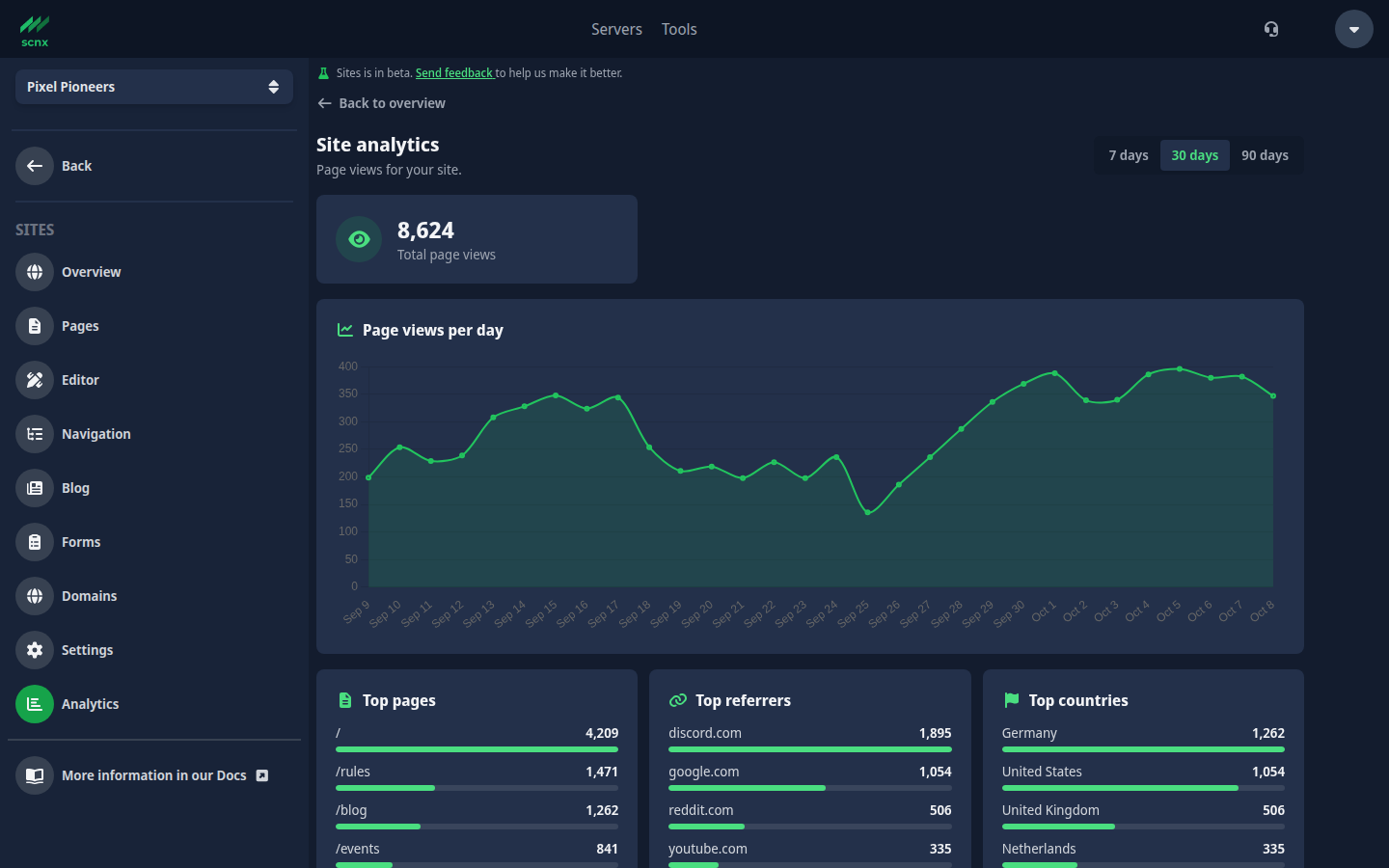
Analytics shows how many people look at your site. Open it from the Sites menu, or from the Analytics link on the Sites overview.
Pick a Time period of 7, 30 or 90 days. The numbers cover the most recent days, including today. The Total page views and the other totals are compared with the previous period of the same length, for example the 30 days before the current 30. The comparison only uses complete days, because today is still in progress, so a half-finished day does not make your site look worse. The chart Page views per day draws the Previous period behind the current one.
You see:
- Total page views for that period, plus Blog post views and Form submissions, each with the change against the previous period,
- a chart of Page views per day,
- Top pages: your most viewed pages, including your blog and blog posts,
- Top blog posts: your most read posts, shown by title,
- Traffic sources: where visitors came from, grouped into Direct / none, Search engines, Social media and Other websites. Direct visits include people who typed your address, used a bookmark, or came from an app that does not tell us where they were,
- Top referrers: the websites that sent visitors to you, with Direct / none for visits without one,
- Top countries: where your visitors come from,
- UTM sources, UTM mediums and UTM campaigns, see below,
- Form conversion, see below.
These are page views, not unique visitors. Analytics only counts your published site: views of your draft through the editor or a preview link are not counted, and nothing is counted before your first publish.
Tracking campaigns with UTM tags
Add UTM tags to the links you share and you can see which post, newsletter or ad brought visitors in. For example:
https://your-site.example/rules?utm_source=newsletter&utm_medium=email&utm_campaign=spring-event
SCNX reads three tags: utm_source, utm_medium and utm_campaign. To keep personal data out of your statistics, values are checked before they are counted:
- Only lowercase letters, numbers,
_and-(a-z, 0-9,_,-) are accepted. Uppercase is converted to lowercase. Values with dots, spaces,@or links are ignored. - A value can be at most 32 characters long.
- Long number sequences (like phone numbers or IDs) and random-looking codes are ignored.
Use short, readable names like newsletter or spring-event. A value that fails the check is simply not counted.
Limits and the "Other" row
To keep your statistics from being flooded with junk, each day has a limit on how many different entries are tracked: 200 pages, 100 referring websites and 50 values per UTM kind. After that, extra new entries are added up under Other (limit reached) instead of getting their own row. Normal sites never come near these limits.
Form conversion
The Form conversion table shows, for each form, the Submissions in the period, the Page views of the page or pages the form is placed on, and the Conversion: submissions divided by page views.
A few things to keep in mind:
- It only counts submissions that are still within each form's retention period (90 days by default). On long ranges you may see fewer submissions than you really received, which lowers the conversion.
- A form that is not placed on any page has no page views, so no conversion is shown.
- If some page views had to be counted under Other (limit reached) in that period, conversion is not shown, because the form's page may be undercounted.
- A page can be viewed several times by the same person, so treat the percentage as a guide, not an exact figure.
Export as CSV
Click Export CSV to download everything on the page for the selected period as a spreadsheet file. It contains only the aggregated numbers you see on screen.
Privacy and how long data is kept
Analytics is privacy-friendly by design. Views are counted on our servers as simple daily totals. We do not set tracking cookies for it, we do not store visitors' IP addresses and we keep no per-visitor records or profiles. A visitor's IP address is only used for a moment to work out their country. For referrers we only keep the website's address, not the full link.
Daily totals are kept for 730 days. Older data is deleted automatically. The dashboard shows at most 90 days, plus the 90 before for comparison. Deleting your site removes its statistics as well.
IP address data powered by IPLocate.io.