Custom Bot v3.24.1: statistics on your own bot, a moderation overhaul, and six modules for everyone

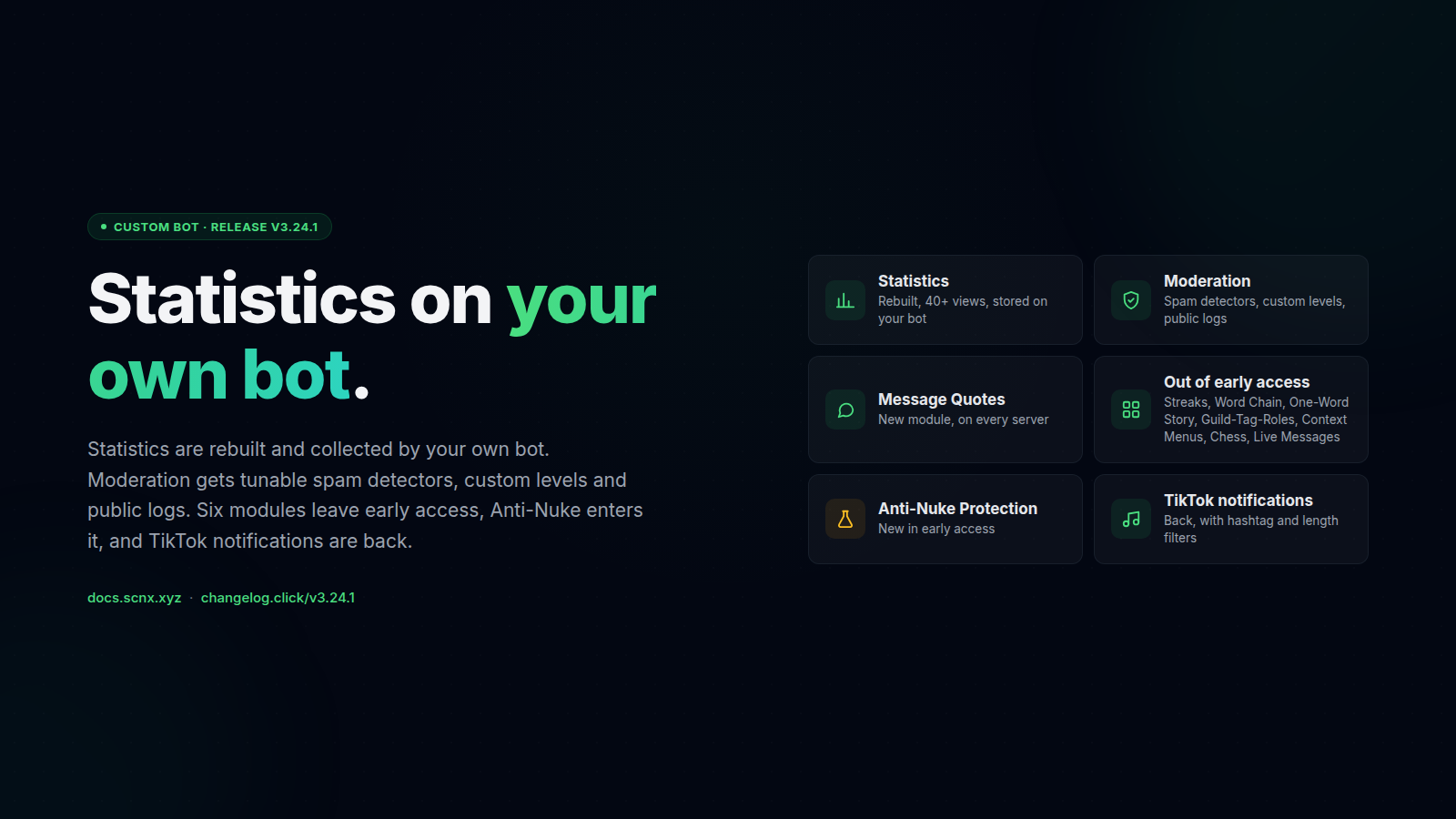
v3.24.1 of the SCNX Custom Bot is rolling out on the v3 stable branch. There's a lot in it, so here's the short version first:
- 📊 Statistics are rebuilt and now run on your own bot. Over forty views, stored in your bot's own database. The shared SCNX bot stops collecting.
- 🛡️ Moderation got a big overhaul. Spam detection split into separate detectors, moderation levels you define yourself, public logs, a Lift punishment button, and native Discord bans and kicks recorded into the bot.
- 💬 Six modules now on every server and plan: Message Quotes (new), Activity Streaks, Word Chain, One-Word Story, Guild-Tag-Roles, and Context Menu Commands.
- ♟️ Chess and Live Messages are out of early access too.
- 🧪 Anti-Nuke Protection is new in early access.
- 🎵 TikTok notifications work again.
Plus scheduled and recurring dashboard messages, a reorganised Advanced Logging, and the usual pile of fixes.
Statistics now run on your own bot
The Statistics tab has been rebuilt from scratch. Until now, statistics were recorded by the shared SCNX bot for every server. Starting with v3.24.1, your own bot collects them and stores them in its own database. That data is not pooled with other servers, and the dashboard does not keep a copy.
The new tab has over forty views: messages and voice time, joins and leaves, which channels are busy and which have gone quiet, activity by role, your most active members, moderation, tickets, giveaways, levels and more. Cards can be dragged into any order, and cards you hide are not calculated anymore.
Members get two new commands. /serverstats shows what has been going on in the server, and /mystats shows a member
their own numbers only. Both can be turned off in the settings.
To enable statistics, open Statistics in the dashboard and switch it on. The bot restarts once and collects data from that point onward.
What happens to existing statistics
The shared SCNX bot is being retired as a statistics source. If your server already had statistics, the history was copied to your own bot and the old copy was deleted. Servers that have not switched yet keep seeing their existing figures for the time being. The SCNX bot will suspend its analytics features later this year, so it makes sense to switch before then. How the migration works is described under history from before your own bot.
Export, delete, and member opt-out
Because the data lives on your bot, you decide what happens to it. Under Privacy on the Statistics tab you can
download everything as a single file or
delete all of it. Members can
opt out of being counted individually with
/analytics-privacy. Server totals are unaffected by that, only the link to the individual person is removed.
One thing to be aware of before switching it on: as the server owner you are responsible for your members' activity data, not SCNX. Whether that requires anything on your side, and whether you want to offer the opt-out, depends on your server. What is recorded and for how long is documented in full.
Moderation
Most of the changes to the Moderation & Security module in this release came out of support tickets and Featureboard requests. The bigger ones in detail:
Spam detection with separate detectors
Anti-spam used to be a fixed set of rules. It is now split into individual detectors, and each detector has its own enable toggle, threshold, timeframe and action. The message-rate, duplicate-message, mention and mass-mention checks are still there, and these were added:
- 📎 Attachment and image spam. Too many files or images in a short window.
- 🔗 Link spam. Bursts of links.
- ↩️ Newline and character floods. Messages padded with endless line breaks or repeated characters.
- 😀 Sticker and emoji spam.
- 📢 Channel spread. The same user posting across many channels at once.
- 🔠 Text abuse. Excessive caps, repeated characters, zalgo text, spoiler spam.
Detected spam can be deleted automatically. A global default applies unless a detector overrides it, and auto-delete removes the whole burst across every channel it landed in. That makes it possible to mute someone for a mass-mention burst while an emoji flood only gets deleted.
Moderation levels you define yourself
The four fixed Moderator-Level role fields have been replaced by custom moderation levels. You create as many named levels as you need and pick what each one can do: warn, mute, kick, ban, lock, channel-mute, quarantine, clear messages, lift punishments, bypass anti-spam, report immunity, lockdown control and a few more. A trial-mod level might get warn and mute without ban, and a dedicated anti-raid role could get lockdown control and nothing else.
Existing Level 1 to 4 setups are migrated automatically and keep working as before. The old fields disappear once the migration has run.
Lifting punishments from the log
Moderation log messages and the mod-actions view can show a Lift punishment button. Clicking it asks for a reason and reverses the mute, ban, quarantine or warning. The button is opt-in via a new toggle and permission-gated, so only staff who are allowed to perform that action type can lift it. Typical uses are an accepted appeal or a punishment that went to the wrong member.
Editable and public log messages
Every moderation log message type now has its own editable template in the full message editor. An appeal-form link on every ban notice, for example, is a one-time change to the ban template.
Each action type can additionally post a separate, differently worded public log to a second channel. The detailed internal log stays private while the community sees a short notice. Which action types get a public log is up to you, whether that is only mutes or every ban. If the same channel is selected for both logs, the dashboard shows a warning, since every message would otherwise arrive twice.
Native Discord bans and kicks get recorded
Bans, unbans, kicks and timeouts carried out with Discord's built-in tools can now be recorded into the bot's moderation database and log channel. A member's history stays complete even if part of the team uses Discord's right-click Ban instead of the bot. Optionally, the affected user receives a DM. This is opt-in and only covers actions taken while the bot is running.
More options on cases
- Change the duration.
/moderate edit-duration, or the Edit duration button in the mod-actions view, shortens or extends an active temporary mute, ban or quarantine. The user is notified by DM, and there is no need to lift and re-apply the punishment. - Up to ten proof images per case. Several
images can be attached when taking an action (the right-click Warn / Mute / Kick / Ban actions accept evidence now
too), or added later through an opt-in Add proof button under the log message or
/moderate add-proof. The log message updates itself and shows the images as a gallery. User reports and message reports also get an image-upload field. - Tag involved users. The reporter, a second
account from the same incident, or a witness can be linked to a case for context. Involved users are never punished or
notified. Use the
involvedoption when acting,/moderate involve, or the user picker in the mod-actions view. The list is available as the%involved%placeholder, so it can appear in the internal log only or in the public one as well. - Edit the reason. An opt-in Edit reason button
and
/moderate edit-reasonallow rewriting a case's reason after the fact. The change is stored as a case event. - Custom case titles. Opt-in short titles like "Insulting several users", separate from the longer reason. Once
enabled, the title is a required field on warn, mute, ban, kick, quarantine and channel-mute, including the
right-click modals. Add
%title%to your log templates for the titles to show up. - Better case history.
/moderate actionsopens a private, filterable view of active and past cases. Filter by action type, inspect case details and open stored evidence from there. Log messages now reference each other when a decision gets reversed.
Scam links
- New-member restrictions. Require a minimum time on the server before new members can post attachments or links. Messages that break the rule are deleted with a notice, with optional escalation for repeat offenders. This targets throwaway accounts that join and paste a scam link within the first minute.
- Better scam-link detection. Scam and phishing URLs are now matched against a fresher, SCNX-maintained list, with optional heuristics for suspicious links. The previous lists had gone stale. The new source covers the Steam, Nitro and crypto-giveaway scams that spike around big game launches and events.
- Delete only. For scam links, blacklisted words and invites, the offending message can now be removed without punishing the member.
Fixes in this area: an expired quarantine no longer comes back when the member rejoins, verification no longer hands back roles the join gate just removed, verification continues after a quarantine release, the verification button answers reliably, manual verification no longer gets stuck after a rejoin or a deleted review message, and the join gate and automatic lockdown trigger correctly again.
Six modules, now on every server
All of these are available on every server and every plan starting today.
💬 Message Quotes (new)
Paste a Discord message link and the bot posts it as a readable quote in the current channel. There is also a Quote Message action in Discord's Apps menu. The output is built in the message editor, so you control what is shown: author, nickname, avatar, channel, content, timestamp, link and first image. Roles, channels or whole categories can be excluded, bot messages and self-quotes can be allowed or blocked, and the trigger message can be deleted. Users can only quote messages they are allowed to read. With attachment archival enabled, quoted images are uploaded to your file library. Enable it from the module catalog.
🔥 Activity Streaks
Members build a streak by being active every day, week or month, and lose it when they go quiet. /streak shows a
member their run and /streak leaderboard shows who is keeping the longest one. New in this release: a configurable
window for how many days after losing a streak members can still recover it with /streak restore. Restoring a backup
also brings back every member's streak.
🔗 Word Chain
Every new word has to start with the last letter of the previous one. The bot checks each entry and tracks how far the server gets before someone breaks the chain.
📖 One-Word Story
The community writes a story together, one word per person. Since nobody can steer it alone, the result is rarely what anyone expected.
🏷️ Guild-Tag-Roles
Members who wear your server's guild tag get a role for it, and lose the role again when they take the tag off.
🖱️ Context Menu Commands
Bot actions such as the moderation context-menu actions can be run from Discord's Apps menu by right-clicking a member or message. The new Commands page in the dashboard lets you pick which actions are available, rename them, and disable slash commands you do not use. Context actions are off by default and keep their normal permission requirements. Discord allows up to 15 user actions and 15 message actions per bot.
Chess and Live Messages leave early access
Chess is now on every server and plan. A full game against another member or the bot inside a thread, a freshly drawn board after every move, and a leaderboard. Promoting a pawn to a rook, bishop or knight now keeps the selected piece, which did not always work before.
Live Messages joins it. Messages that display live server statistics such as member counts, online members, boosts and channels, kept up to date by the bot. Both are in the module catalog.
Anti-Nuke Protection, in early access
New for ScootKit Membership early-access holders, with general availability in the usual 3 to 4 month window.
Anti-Nuke watches for destructive server actions and responds according to rules you set. It looks for mass channel and role changes, bans, kicks, webhook abuse, permission escalation, emoji and sticker deletion, destructive server changes and more. Once a threshold is reached it can alert your team, strip the attacker's roles, remove dangerous permissions, or ban them. Alerts come with a guided undo flow that tries to restore what was affected and then reports what worked and what did not. Operators can check the status, temporarily whitelist a trusted member with an expiry and reason, and set thresholds per action type. Only users on the Exempt Users list can use any of it.
Anti-Nuke is a mitigation layer, not a backup and not a guarantee. It only works while the bot is online, some Discord actions cannot be fully reversed, and anyone who can reconfigure the bot can get around it. The documentation lists those limitations before the setup steps, and they are worth reading first.
TikTok notifications are back
TikTok creator notifications work again, with one restriction that comes from TikTok's API: notifications only work for creators who have connected their TikTok account to SCNX. The creator goes through the SCNX creator-claim flow once. After that, notifications arrive automatically, and no bot restart is needed.
The rebuild also added a Required hashtag filter, a Minimum clip length filter, and %thumbnailUrl% and
%description% placeholders for the notification message.
Other changes worth knowing about
- Scheduled and recurring messages. A dashboard message can be scheduled for later, edited or cancelled, or repeated daily, weekly or monthly. Recurring schedules survive restarts. If the bot was offline, missed recurring occurrences are skipped, and an overdue one-time message is sent once the bot is back. A recurring series counts as one pending message. Limits are 2 on Starter, 10 on Active Guild, 25 on Pro/Unlimited and 50 on Professional/Enterprise.
- Advanced Logging, reorganised. The settings are grouped into sections for messages, members, roles, channels, voice, server changes and emojis. Each section can ignore all bots or specific bots, and new filters skip noisy role, channel and voice changes. Role changes by the same person in quick succession are combined into one entry with the net result, so large role operations no longer flood the channel. Role logs also list every changed role instead of only the last one.
- Auto Delete keeps bot panels. Channel cleanup no longer removes active application and ticket panels, giveaways, polls, live messages, leaderboards, partner and team lists, starboard posts, suggestions, sticky messages, advent calendars, and other long-lived messages maintained by an enabled module.
- Giveaways: participant lists. An optional View participants
button lets members privately browse a paginated list of entrants with entry weight and requirement status. Staff can
use
/gmanage participants. Rapid entries no longer get lost when many people join at the same time. - YouTube notifications are faster. Channels are checked much more often, so go-live and new-video alerts arrive sooner. A new per-channel setting skips premieres and scheduled streams until they are published as regular videos, and a broken thumbnail no longer blocks the notification.
- Tickets: copy category permissions. Off by default. When enabled, the
permission overwrites from the ticket category are copied to each new ticket channel, with
@everyonestill denied. - Birthday: separate reminder channel. Pre-birthday reminders can go to their own channel instead of the birthday channel.
- Fewer "interaction failed" errors. Slower actions such as creating or closing tickets, voting in polls, revoking invites and restarting verification now answer Discord in time.
- Better protection for stored data. Information your server stores now gets additional protection automatically, without any change in how the bot is used.
- Module activation tells you when a restart is needed. If a newly enabled module needs additional Discord access, the bot says so instead of silently not working.
For everything else (Applications, Staff Management, Welcomer, Color-me, AI Chat Channel, Economy, Polls, Auto-Publisher and a few more), the full per-module list is in the in-dashboard changelog.
How to update
If your bot is on the v3 branch, restart it once and v3.24.1 is live. Existing configurations keep working, and old moderator levels are migrated into the new system automatically.
A few settings are worth going through deliberately rather than leaving on defaults:
- Statistics. Read what is recorded, decide whether to offer members the opt-out, then switch it on under Statistics. The bot restarts once. Do this before the shared SCNX bot stops collecting later this year.
- Anti-spam. Existing rules carry over, but the new detectors (attachment spam, link spam, floods, channel spread, text abuse) should get thresholds and actions that match what your server actually sees.
- Log templates. The defaults are fine if nothing was customised. If custom case titles are turned on, add
%title%to the templates, otherwise the titles will not show anywhere. - Context menu commands. They are off by default. Enable the ones your staff would use on the Commands page.
Run into a bug?
If something looks broken, open a ticket at scnx.app/help and our support team will take a look. For feature requests and bigger ideas, Featureboard is still the right place.
Greetings from Munich,
- Simon