Voice Support, now in early access

We've added a third system to the Support Bot: Voice Support, a live voice queue. Users join a voice channel, your team pulls them into a support channel one at a time, and the bot handles the queueing, wait-time DMs, notes, thread archival, and feedback in between.
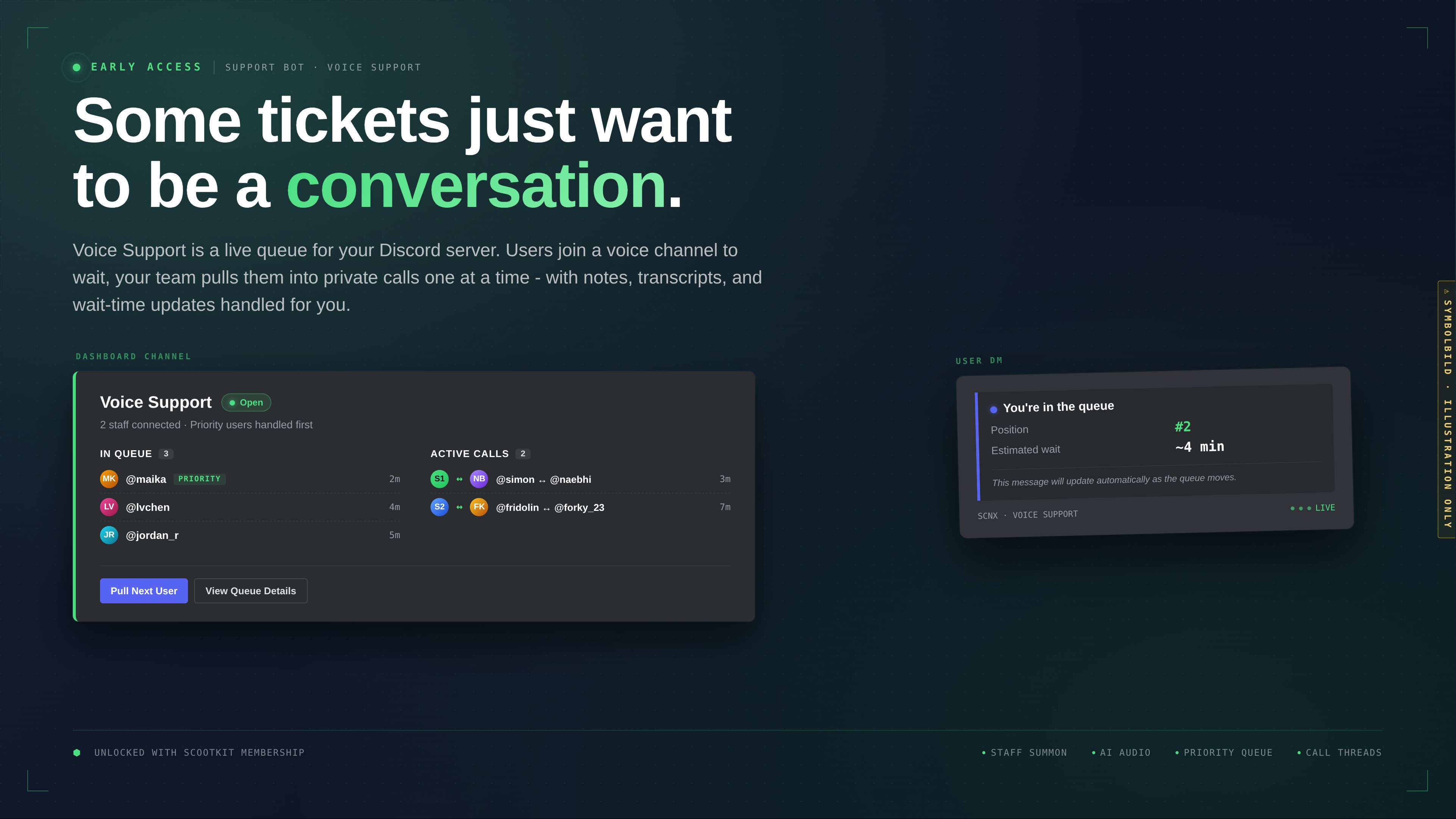
It's shipping today in early access for holders of the ScootKit Membership Early Access perk. Like everything we release this way, it'll be free for every SCNX server about 3 - 4 months from now.
The dev journey, on video
I posted two updates on YouTube while building this - more "here's what I'm working on" than polished product demos. They're rougher than what you see in the dashboard today (naming, UI and some flows changed since), but if you want a sense of how Voice Support actually came together, they're the honest version.
Members already saw these when they went up. Now they're here for everyone.
The videos below are separate YouTube uploads with auto-dubbed English audio generated from my original German
recordings - not a human-voiced English version. Expect AI pronunciation quirks on product names, code snippets, and the
occasional proper noun. If you'd rather hear the native German, the originals live at
tUVS5tE5mOg and 2PUBNawPE0k on YouTube.
What it does
From the user side:
- Join the configured queue voice channel.
- The bot DMs you with your position and an estimated wait time. The DM updates itself as the queue moves.
- When a staff member pulls you, you're moved into their support channel.
- The call happens. When it ends, you optionally rate it.
From the staff side:
- Sit in any voice channel in the configured support category.
- Click Pull Next User on the dashboard, or run
/voice next. - The user lands in your channel. Buttons in the voice chat let you add notes, look up the user's prior sessions, or end the call.
- If debriefs are on, a form pops up after the call. If feedback is on, the user gets a rating DM.
Two state modes cover the common cases:
- Staff presence - open whenever at least one staff member is in voice.
- Opening hours - open during configured business hours regardless of who's online. Can be combined with a staff-summon ping that fires when users arrive but no staff are connected.
The rest of the feature list
- Priority queue via configurable roles.
- Waiting music (per-channel playlist, and a separate closed-state playlist for after-hours listeners).
- AI-generated audio - a Generate (AI) tab in the audio picker produces TTS clips and background music, paid in AI Coins. Details here.
- Per-call notes and call history (10 prior sessions per user, with duration, assigned staff, and recent notes inline).
- Call threads under your dashboard channel, pre-filled with the user's prior context.
- Debrief form for staff, feedback DM for users, both optional and both with logging.
- Per-user blocklist with optional reason + expiration.
- Adaptive wait-time estimate based on a rolling window of recent calls.
Full reference: Voice Support docs.
Getting access
Voice Support needs two things:
- An active SCNX Unlimited or Professional plan (like the rest of the Support Bot - it's not available on the free Starter plan).
- The Early Access perk on ScootKit Membership (Membership is a separate subscription from your SCNX plan).
If you have both, the Voice Support section is live in your Support Bot dashboard. Flip the toggle, point it at a queue channel, a support category, and a dashboard channel.
If you don't have the perk, you've got two options: pick it up now and get Voice Support today, or wait 3 - 4 months for general release and get it without the subscription.
On Membership
Straight answer first: ScootKit Membership exists because this kind of development costs real money. Months of dev time, infrastructure, ongoing tuning - someone has to pay for it, and Membership is how. That's the first-order reason the subscription is there, and we'd rather say it plainly than dress it up.
What's also true, and not as cover for the funding side: the way we run Early Access gives us a proper testing window. Putting Voice Support in front of a few dozen members first means we catch edge cases our own test servers never hit, UX rough spots we didn't notice in testing, and workflows our team doesn't run. By the time Voice Support rolls out to every SCNX server, it's a better feature because those members shook it loose first. That's a real second-order upshot we didn't initially design for but genuinely benefit from.
Members also get the stuff we make along the way: dev vlogs, sneak peeks, occasional deep-dives into what we're building next. The two videos above started as member-only content. There's more of that going out regularly.
Nothing behind the perk is permanently exclusive. Everything we ship in early access rolls out to every SCNX server on the 3 - 4 month clock. If the model works for you, welcome in. If not, we'll see you at general availability - with a better product than it would have been without the people who joined early.
Feedback
Voice Support is in early access for a reason. Edge cases we haven't hit yet, flows that feel off on servers bigger than ours, features we cut and probably shouldn't have - this is the window to tell us. Drop notes in the SCNX Discord or on Featureboard.
Greetings from Munich,
- Simon